

When you’re running an ecommerce store, every second is a high-stakes moment, a one-second delay can cost you sales.
While aesthetics and branding draw customers in, performance keeps them there. Google’s Core Web Vitals (CWV) have evolved from technical language into the primary aspect of user experience and SEO. If your store feels “slow” or “agitated,” your customers won’t wait, they’ll back from your site and choose your competitor.
As an Ecom CRO Expert will tell you, there is an unseen link between page speed, user satisfaction, and the bottom line. Core Web Vitals are a set of specific factors that Google considers important in a webpage’s overall user experience. This guide is designed to help you to improve your website’s technical performance and higher revenue. By the end of this article, you will have a practical roadmap to improve core web vitals ecommerce metrics, ensuring your store is fast, stable, and ready to convert.
What Are Core Web Vitals?
Page Experience signals are a set of signals provided by Google that include Core Web Vitals. They gauge the perception of users of your speed and stability of the page through three lenses.
Key Metrics Explained:
- Largest Contentful Paint (LCP): This is a measure of loading speed. In particular, it is the time required to see the biggest picture or text block. In the case of an ecommerce site, this would typically be your hero banner or product image.
- Interaction to Next Paint (INP): This measures responsiveness. It measures the latency of every interaction (such as clicking the Add to Cart button) on the whole page visit.
- Cumulative Layout Shift (CLS): This is the visual stability. Have you ever attempted to get to a link and the page moved and you accidentally clicked an advertisement? That’s a high CLS.
Why They Matter in Ecommerce:
Trust is created based on first impressions. Provided that a page loads immediately, the customer will feel that the brand is professional. When CLS is high or the INP is slow, this frustrates the user and he or she gives up the cart. Moreover, Google considers these metrics as a ranking factor, i.e. the higher the ratings of CWV, the more organic traffic. When dealing with Shopify Conversion Problems, a place to start to find a solution is probably your CWV scores.
How to Check Core Web Vitals for Your Website (Step-by-Step)
Before you can fix the problem, you need to see the data. Monitoring your performance is the first step toward how to fix core web vitals issues ecommerce sites often ignore.
Step 1: Use Google PageSpeed Insights
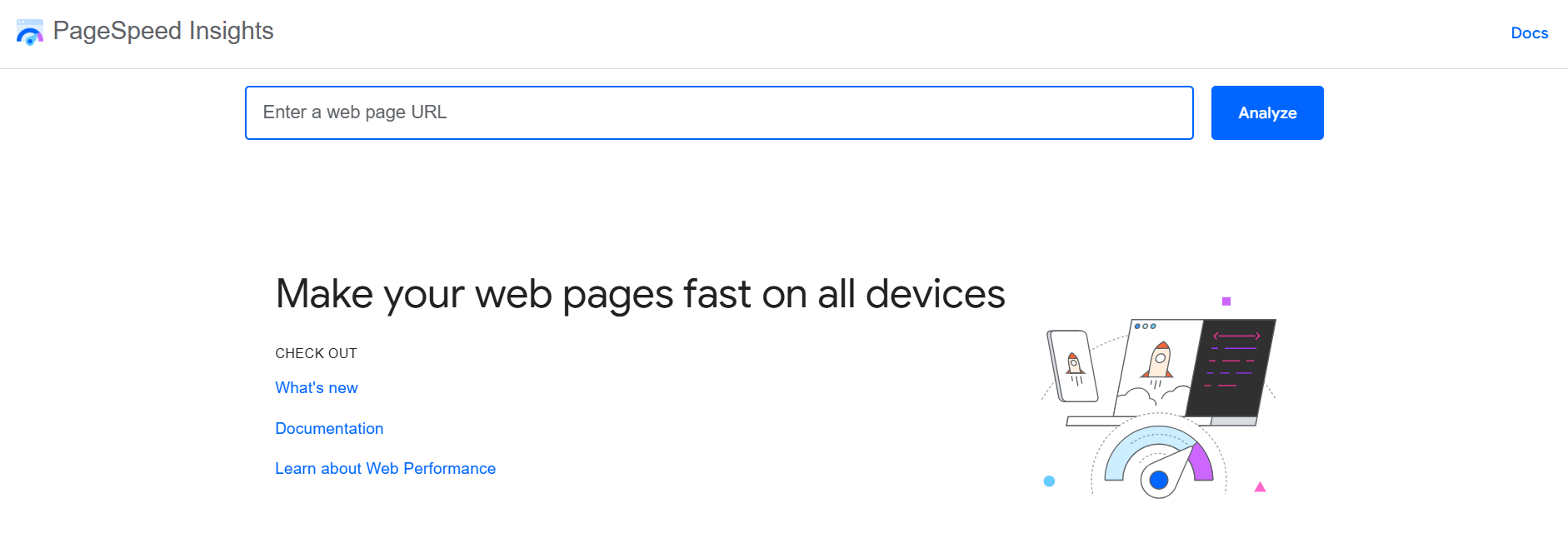
Go to the official PageSpeed Insights tool and enter your URL. Once you click “Analyze,” Google provides a report based on both simulated “Lab Data” and real-world “Field Data.”
- Review Mobile vs. Desktop: Don’t be fooled by a high desktop score. Google uses mobile-first indexing, meaning your mobile performance determines your search visibility.
- Identify Opportunities: Look for the “Opportunities” section, which lists specific files or images slowing down your LCP.
Step 2: Check Core Web Vitals in Google Search Console
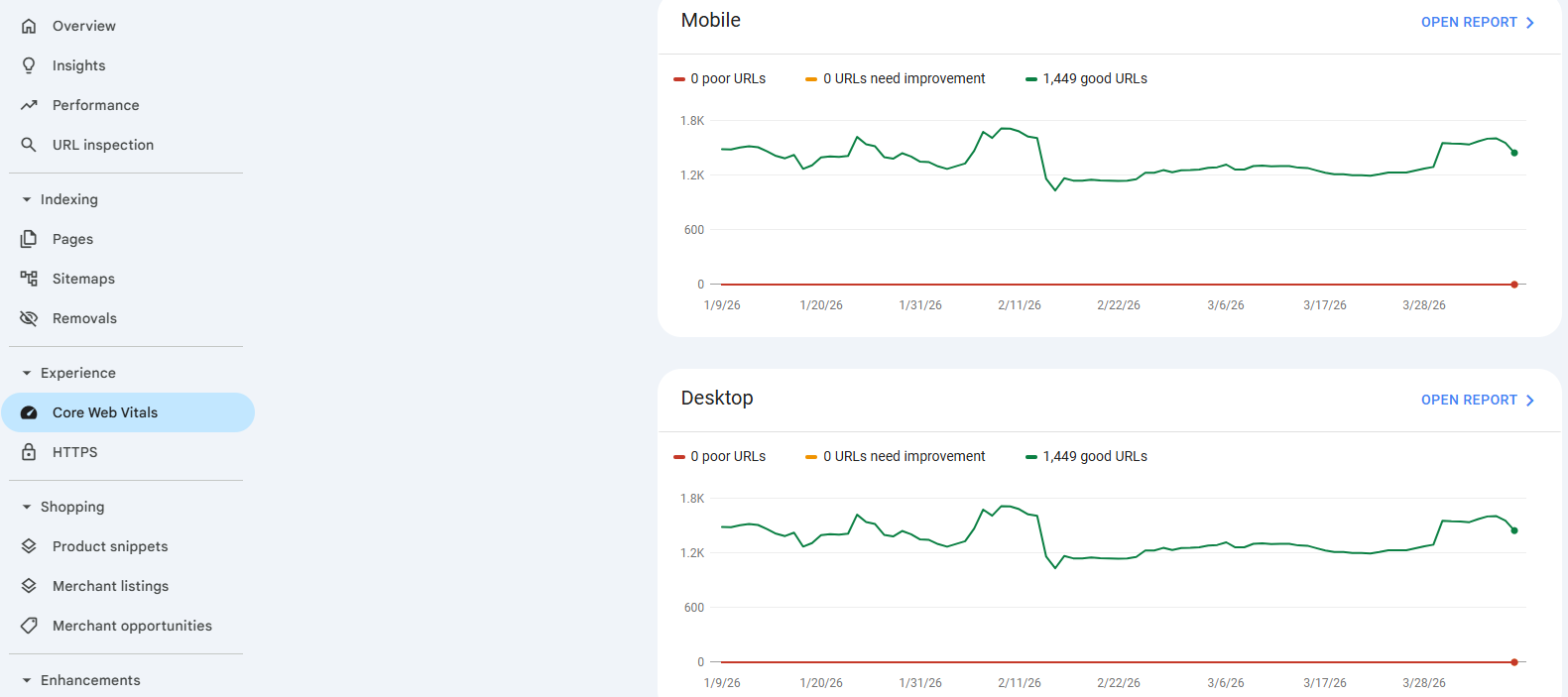
Open your Search Console and navigate to the Core Web Vitals Report under the “Experience” tab.
- Grouped Issues: Unlike PageSpeed Insights, which looks at one page, Search Console groups similar pages together (e.g., all your product pages).
- Track Trends: This tool allows you to see if your “Poor” URLs are decreasing over time as you implement fixes.
Step 3: Use Lighthouse for Detailed Analysis
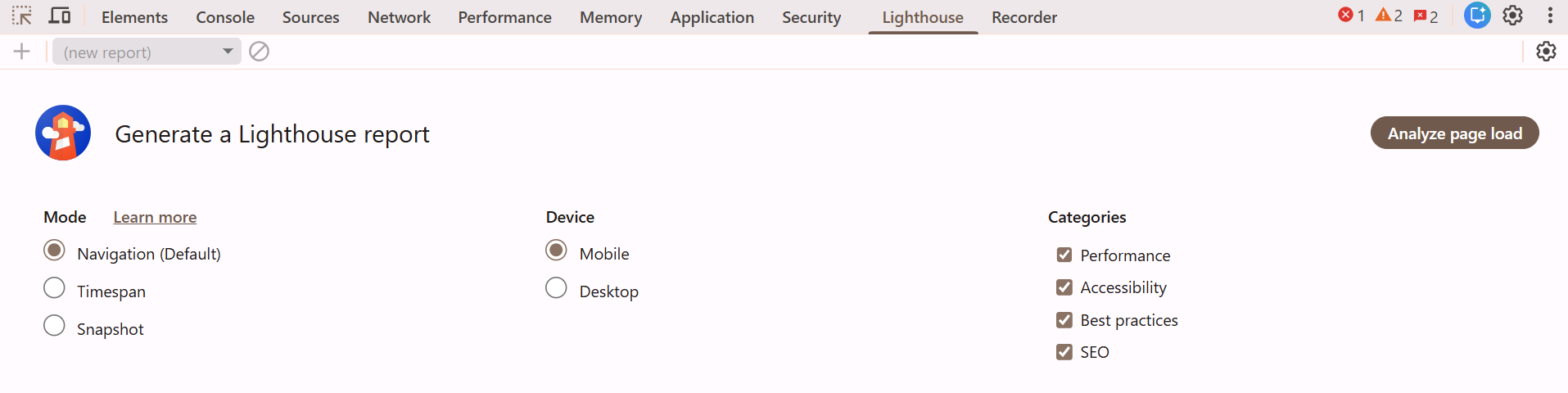
Open your website in a Chrome browser, right-click anywhere, and select Inspect. Navigate to the Lighthouse tab.
- Generate Report: You can toggle between Navigation, Timespan, and Snapshot.
- Developer Insights: Lighthouse provides a deeper technical breakdown, such as unused CSS or JavaScript that might be blocking the main thread, making it a favorite for landing page optimization.
Step 4: Use Chrome DevTools (Advanced)
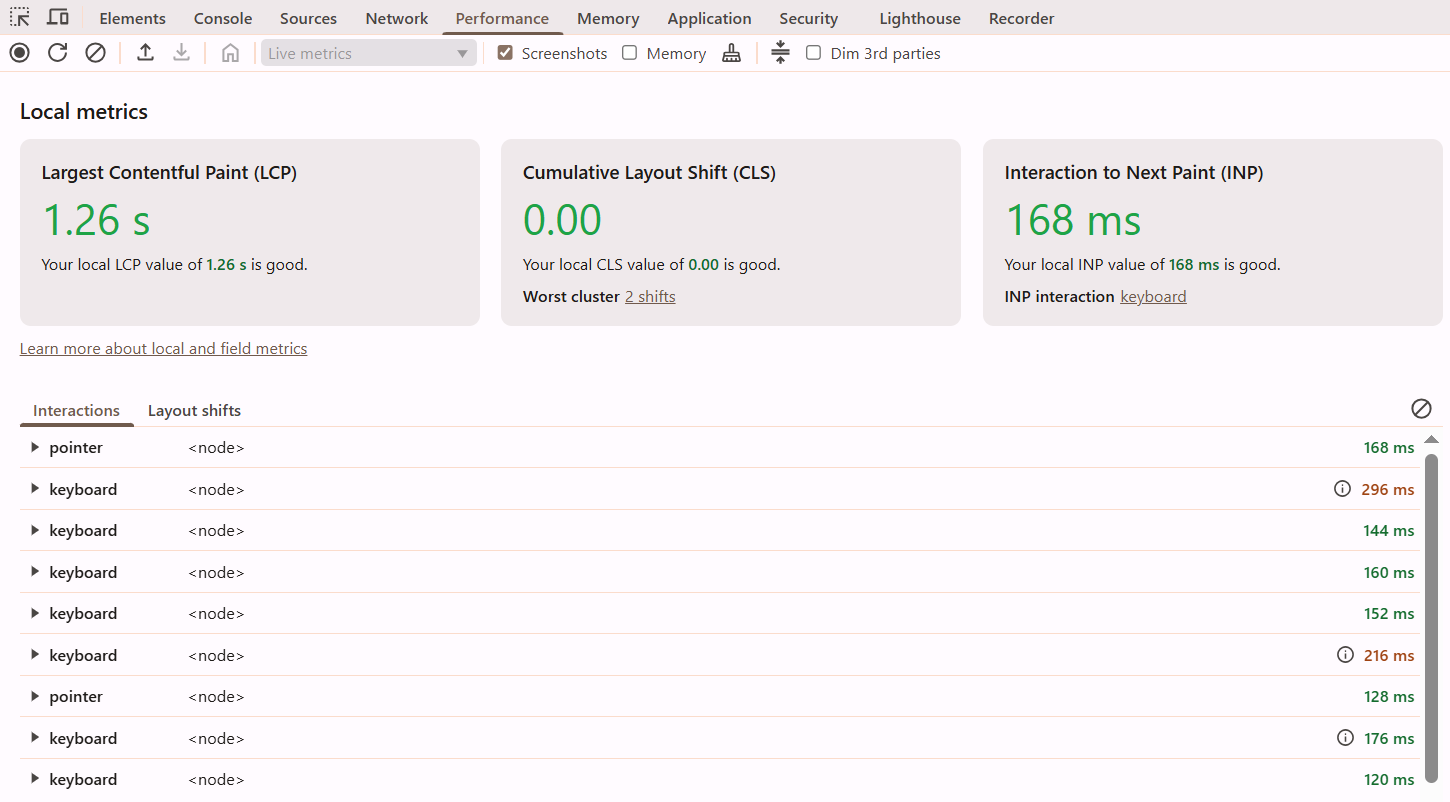
For those who want to get hands-on, the Performance tab in DevTools is unmatched.
- Record Load: Hit record and refresh your page. It generates a “waterfall” chart showing exactly when each script executes.
- Find Interactivity Gaps: You can see exactly what is causing “Long Tasks”—those pesky JavaScript executions that make your site feel frozen to the user.
Step 5: Monitor Real User Data (Field Data)
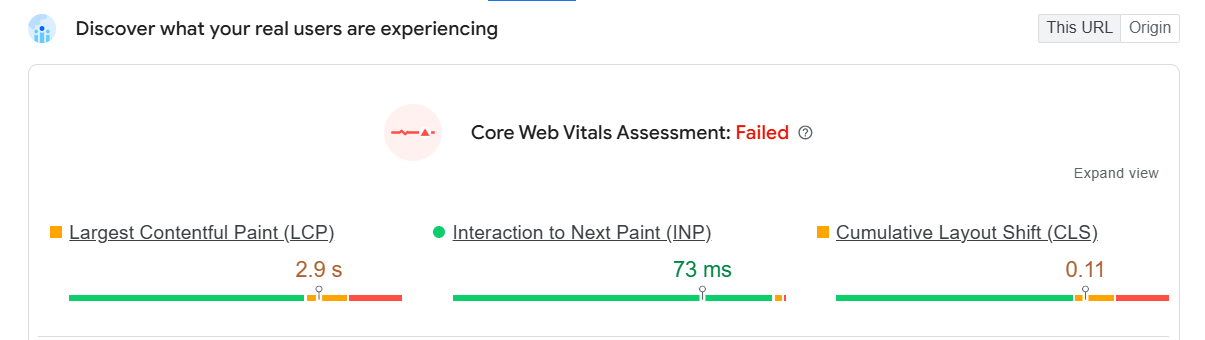
Field data represents the experience of actual visitors over the last 28 days.
- The “Passing” Grade: To pass the CWV assessment, you need to meet the “Good” threshold for at least 75% of page views.
- Crucial for Ranking: While lab data is great for debugging, Google’s ranking algorithm relies on this real-world field data.
What Scores Should You Aim For?
- LCP: Under 2.5 seconds
- INP: Under 200 ms
- CLS: Below 0.1
How Core Web Vitals Impact Ecommerce Conversions
The ultimate killers of conversion are slow websites. Statistics indicate that a 100-millisecond decrease in the load time can increase the conversion rates by 8%.
When Core Web Vitals for ecommerce are optimized, you see a ripple effect:
- Product Page Engagement: When the interface is fast, customers see more pictures and descriptions.
- Add-to-Cart Actions: Low INP also makes it possible to have a user clicking a button and the feedback is immediate.
- Checkout Completion: Quick, steady checkout minimizes the anxiety gap in which users change their mind.
Scenario Comparison:
- Store A (Slow): Great time to display a product is 5 seconds. Buy Now button slows down and moves when a banner loads slowly (CLS). The user becomes frustrated and quits.
- Store B (Fast): Loads in 1.5 seconds. It is all motionless and reactive. The customer has the flow of it and makes the buy. To be able to monitor these particular areas of friction in real-time, it can be beneficial to find a specific cro tool for shopify.
Step-by-Step Guide to Improving Core Web Vitals
Step 1: Improve Loading Speed (LCP)
LCP is usually the most difficult metric to master because it depends on so many variables. To improve core web vitals ecommerce rankings, prioritize these:
- Modern Image Formats: Move away from PNG and JPEG. Use WebP or AVIF, which offer superior compression.
- Optimize the “Critical Path”: Prioritize the loading of the main hero image. Use <link rel=”preload”> in your header for the LCP element.
- Implement a CDN: Use services like Cloudflare or Akamai to cache your content on “edge” servers. This significantly reduces the physical distance data must travel.
- Server Optimization: Ensure your backend is fast. If you’re on a shared hosting plan, upgrading to a dedicated or VPS solution can drastically lower your Time to First Byte (TTFB).
Step 2: Improve Interactivity (INP)
INP is the newest and perhaps most critical metric for ecommerce responsiveness.
- JavaScript Triage: Audit every script. Most ecommerce stores carry “technical debt” from deleted apps that left behind code.
- Break Up Long Tasks: Use requestIdleCallback or web workers to move non-essential processing off the main thread.
- Optimize Third-Party Apps: Tools like heatmaps or chat widgets should be “delayed” or “deferred” so they don’t block the user from interacting with the product grid. This is a key part of understanding the Benefits of CRO.
Step 3: Fix Layout Shifts (CLS)
Nothing ruins a shopping experience like a page that jumps around.
- Explicit Dimensions: Ensure every image, video, and iframe has width and height attributes in the HTML. This lets the browser “reserve” the space before the image even downloads.
- Avoid Late-Loading Content: Don’t insert banners or newsletter pop-ups above existing content unless they are triggered by a user action.
- Font Swap: Use font-display:swap; in your CSS. This ensures text remains visible using a system font until your custom brand font is fully loaded, preventing the “jump” often seen on page load.
Step 4: Optimize Mobile Experience
In 2026, mobile-first isn’t a suggestion—it’s the law of the land.
- Touch Targets: Ensure buttons are at least 48×48 pixels. If a user has to “fat-finger” a tiny checkout button, they will likely give up.
- Responsive Media: Use the <picture> element to serve smaller, lighter images to mobile devices compared to desktops.
- Simplified Navigation: Heavy mega-menus often tank mobile performance. Use a clean, “hamburger” style menu that loads efficiently. This is a top conversion rate optimization trends priority.
Step 5: Strengthen Technical Foundation
A fast site needs a solid base.
- Compression Protocols: Enable Brotli compression, it is more efficient than the older Gzip.
- Modern Protocols: Ensure your server supports HTTP/3 (QUIC), which handles multiple requests over a single connection much more effectively than older versions.
- Minimize Redirects: Every redirect adds hundreds of milliseconds of latency. Audit your internal links to ensure they point directly to the final URL destination.
CRO Strategies That Amplify Core Web Vitals
After making your site fast, your next step is to make the user experience intuitive. Speed is technical, strategy is the house.
- Simplified Checkout: Remove unnecessary fields. Write Guest Checkout to avoid friction.
- Compelling CTAs: Have your “Add to Cart” buttons in high contrast colors.
- Trust Signals: Put reviews and security badges close to Buy button to assure the user.
- A/B Testing: Guessing is bad, test. Test data to determine whether an alternative layout can better your metrics.
- Smart Recommendations: Include AI-assisted product recommendations that do not block the content of the main page because they are loaded asynchronously.
Tools to Measure and Monitor Performance
You can never repair what you have not assessed. In addition to Google suite, one may think about the following special tools:
- Google PageSpeed Insights: Gives a breakdown of field and lab data.
- Google Search Console: The report on the Core Web Vitals displays the URLs that are either Poor or Need Improvement at scale.
- Lighthouse: Integrated with Chrome DevTools, which is useful in testing on the fly.
- Chrome DevTools: Click the “Performance” tab to record a load and view each thing that is moving your layout or blocking the main thread.
Common Mistakes to Avoid
A large number of the merchants unwillingly slow themselves down. Avoid these pitfalls:
- App Overload: Putting all Shopify apps installed, in case, will ruin your INP.
- Ignoring Mobile: Just surfing your site when you are on a fast desktop connection.
- Large Hero Sliders: Carousels are nightmares of LCP. Instead, use one, optimized hero image.
- No Post-Update Testing: It is always good to re-run your speed tests after you have installed some new tool or changed your theme code.
Real-World Optimization Checklist
This is the checklist you can use as a CRO audit or your weekly health check to make sure that your store is running at full capacity.
Quick Action Checklist:
- [ ] Optimize Images: Are the pictures on the WebP and those are compressed?
- [ ] Lazy Loading: Are all non-hero images being lazy loaded?
- [ ] Audit Apps: Did you delete at least one third-party app that you are not using?
- [ ] Set Dimensions: Are there width/height attributes of all media elements?
- [ ] Mobile Check: Is the site responsive and interactive on the mid-range?
- [ ] CDN & Hosting: Is your server response time less than 200ms?
- [ ] Regular Testing: Did you access your Google SearchConsole CWV report this week?
In doing that, you are not only making an algorithm happy but also a shopping experience that is smooth, respects the time of your customer and makes them come back.