
In the fast-paced ecommerce environment, speed is more than just a technical luxury, it’s the foundation of your ecommerce store’s success. Now picture a customer clicking on your Facebook ad with excitement and anticipation that they’ll get to buy, only to be greeted with a spinning loading icon. Each passing second is a moment of frustration, instead of excitement.
When it comes to Shopify websites, speed is the silent salesman that either seals the deal or gets lost customers to the next one. Not only will a slow store frustrate your visitors, it will also completely ruin your bounce rate, blow away your conversion rate, and wreck your SEO. Modern customers expect everything right away and if your site is slow to load they won’t return. In this guide, we will dive deep into how Shopify CRO (Conversion Rate Optimization) and site performance go hand-in-hand. We’ll cover the technical details of Core Web Vitals and offer some concrete steps you can take to make your store as quick as you expect your modern shoppers to want it.
Why Shopify Site Speed Matters for Conversion Rates
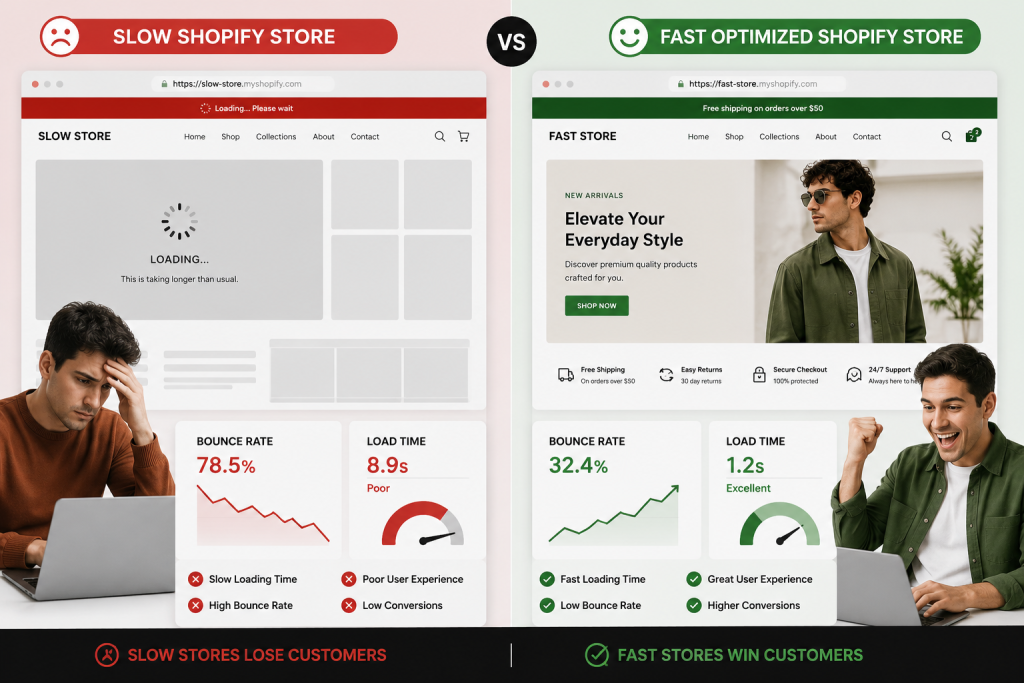
First impressions are formed in milliseconds. In ecommerce, your site’s loading speed is the digital equivalent of a physical store’s curb appeal. If the door is stuck or the lights are off, shoppers won’t bother coming in. High-performing Shopify stores build trust through seamless navigation. When a page snaps into view instantly, it signals professionalism and reliability.
The Hard Truth of Speed:
- A 1-second delay in page load time can lead to a 7% reduction in conversions.
- Nearly 50% of consumers expect a page to load in 2 seconds or less.
- Mobile users are even less patient; if a site takes longer than 3 seconds, over half will abandon it.
There is a direct, linear relationship between speed and revenue. Faster sites see higher engagement, longer session durations, and significantly lower cart abandonment. This is especially true for Shopify mobile conversion optimization, as mobile data connections are often less stable than desktop fiber, making every kilobyte of data count.
Common Reasons Your Shopify Store Is Slow
Heavy Images and Unoptimized Media
The most common culprit is oversized imagery. High-resolution product photos look great, but if they are 5MB each, they will cripple your site. Massive hero banners and auto-playing videos that haven’t been compressed force the browser to work overtime before the user can even see your “Add to Cart” button.
Too Many Shopify Apps
The Shopify App Store is a goldmine, but every app you install adds a snippet of JavaScript to your theme. Even after you delete an app, “ghost scripts” often remain in your code, loading in the background and adding precious seconds to your load time.
Poor Theme Optimization
Not all themes are created equal. Some are “bloated” with features you might never use like three different types of sliders, complex animations, or unnecessary hover effects. A poorly coded theme can make even a simple Shopify homepage design feel sluggish.
Excessive JavaScript and Third-Party Scripts
While tracking tools, chat widgets, and popups provide valuable data and engagement, they are external “calls” your site has to make. If your site is waiting for a third-party server to respond before showing your content, your users are the ones who suffer.
How to Improve Shopify Site Speed
Compress and Optimize Images
Start by switching to WebP format, which provides superior compression compared to JPEG or PNG. Implement lazy loading, which ensures that images only load as the user scrolls down to them, rather than all at once upon entry. Always resize images to their display dimensions before uploading don’t ask the browser to scale down a 4000px image to a 400px box.
Remove Unused Shopify Apps
Conduct a monthly app audit. If an app isn’t directly contributing to revenue or essential UX, get rid of it. After uninstallation, check your theme.liquid file for leftover code. This is a critical step in cleaning up your Shopify product page design.
Use a Fast Shopify Theme
If your store is still slow after optimization, it might be time for a theme change. Look for themes optimized for the Online Store 2.0 standard. These are built with “mobile-first” mentalities and clean coding practices that prioritize performance over flashy, non-functional aesthetics.
Improve Mobile Store Performance
Since the majority of Shopify traffic is now mobile, focus on touch-friendly navigation and reducing “visual clutter.” Ensure your checkout experience is lightning-fast by using accelerated payment methods like Shop Pay or Apple Pay. This is the core of Shopify mobile conversion optimization.
Improve Core Web Vitals for Ecommerce Stores
What Are Core Web Vitals?
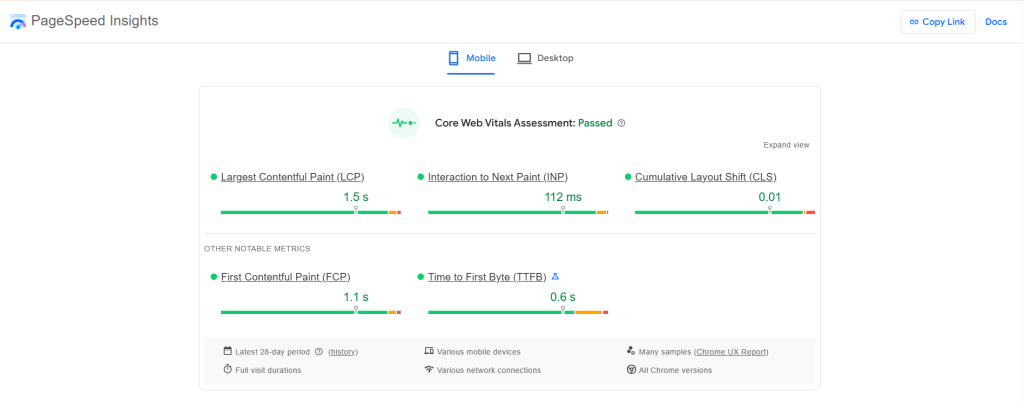
Google uses three specific metrics to measure “user experience”:
- Largest Contentful Paint (LCP): Measures loading performance (how fast the main content loads).
- Interaction to Next Paint (INP): Measures responsiveness (how fast the site reacts to a user’s click).
- Cumulative Layout Shift (CLS): Measures visual stability (ensuring buttons don’t move while the user tries to click them).
When you improve core web vitals ecommerce, you aren’t just pleasing Google’s algorithm; you are ensuring that your shoppers don’t accidentally click the wrong button because the page shifted.
Shopify Speed Optimization Mistakes to Avoid
Many merchants fall into the trap of over-optimizing for the wrong things. “Feature creep” is the fastest way to kill your site speed. Here are the most critical mistakes to steer clear of:
- Using Too Many Popups: Landing on a site and being hit with an email signup, a discount wheel, and a cookie banner is a nightmare. These scripts often block the “Main Thread,” meaning the rest of your site stops loading until the popup is ready.
- Neglecting the Checkout Experience: A fast store with a slow checkout is one of the most common shopify checkout mistakes. Adding too many custom tracking scripts or loyalty widgets at the final step creates a “speed bump” that leads to immediate abandonment.
- Installing Multiple Tracking Tools Directly: Avoid hard-coding multiple pixels (Meta, Google, TikTok) into your theme header. This forces the browser to open too many connections at once. Use a consolidated Tag Manager instead.
- Over-Reliance on Page Builders: While easy to use, many drag-and-drop builders export bloated code. Use them sparingly for specific landing pages rather than the entire store.
- Ignoring “Ghost” Code: Many apps don’t clean up their code when uninstalled. Over time, your site becomes cluttered with requests for apps that no longer exist.
Best Tools for Shopify Speed Optimization
You can’t fix what you can’t measure. Use these shopify tools to stay on top of performance:
- Google PageSpeed Insights: For a baseline performance score.
- GTmetrix: To see deep-dive waterfall charts of script loading.
- TinyIMG: For automated image compression.
- Shopify Analyzer: Specifically designed for Shopify’s unique architecture.
- Chrome Lighthouse: For quick browser-based audits.
How Faster Shopify Stores Improve CRO
One of the building blocks of Shopify CRO is speed. A fast-responding site makes users feel in control. This frictionless experience has the potential to lead them to explore more products, spend more time on the site and ultimately increase their confidence in providing payment information. A fast site increases the customer’s ease of mind because it decreases the amount of cognitive effort required for them to navigate from “Landing Page” to “Thank You Page.”
Faster Shopify Stores Convert Better
Site speed optimization for your Shopify store is not a one-time effort, it’s a process that’s constantly in progress, connecting SEO and CRO. You will build a professional environment that values your customer’s time through image compression, app hygiene and Core Web Vitals.
Next Steps: Do a speed test today! Find the three heaviest scripts or images. Repair them and see your conversion rates go up. Remember, in the world of ecommerce, fast is the new normal.